

Start with a simple diagram when explaining.
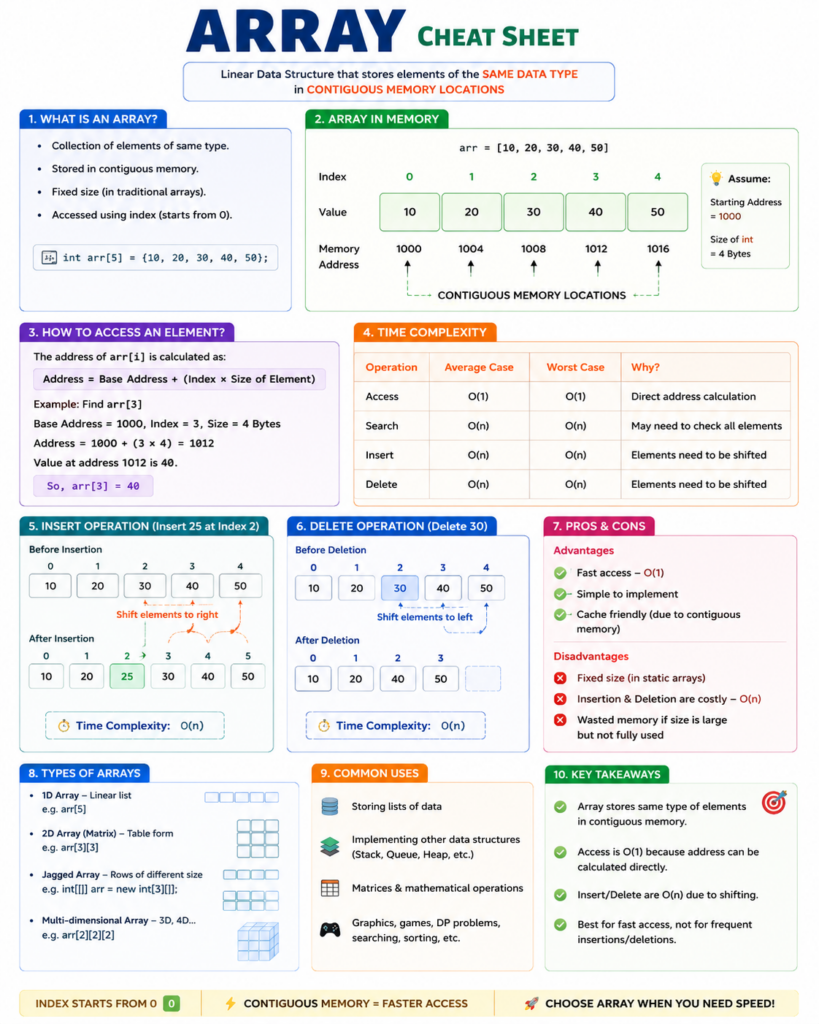
Array: [10, 20, 30, 40, 50]

Index:   0    1    2    3    4
          |    |    |    |    |
Memory: 1000 1004 1008 1012 1016
Value :  10   20   30   40   50
Assume an integer occupies 4 bytes.
What is an Array?
Simple Definition
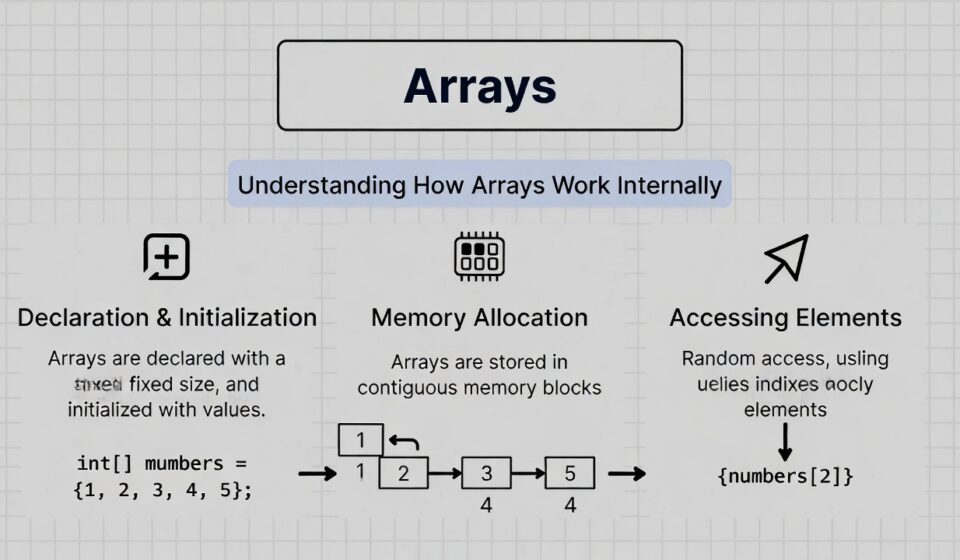
An array is a linear data structure that stores elements of the same data type in contiguous (continuous) memory locations.
Keywords interviewers expect:
✅ Same data type
✅ Fixed size
✅ Contiguous memory
✅ Fast access using index
How is an Array Allocated in Memory?
Suppose we create:
int[] arr = {10,20,30,40,50};Memory allocation:
Address   Value
-------   -----
1000       10
1004       20
1008       30
1012       40
1016       50
Notice:
1000 → 1004 → 1008 → 1012 → 1016The memory is continuous.
This is why arrays are very fast.
How Does the Computer Fetch an Element?
Suppose interviewer asks:
How does arr[3] get fetched?
The system uses a formula:
Address=BaseAddress+(Index×SizeOfElement)
Example:
Base Address = 1000
Index = 3
Element Size = 4 bytes
Calculation:
Address = 1000 + (3 × 4)
        = 1012
At address 1012:
Value = 40So:
arr[3]returns:
40Why is Array Access O(1)?
Because the computer directly calculates the memory address.
No searching required.
Need arr[4]?

1000 + (4 × 4)
= 1016
Direct jump.
That’s why:
| Operation | Complexity |
|---|---|
| Access | O(1) |
Visual Explanation
Array

Index:    0    1    2    3    4
Value:   10   20   30   40   50

Need arr[3]

Jump directly
      ↓
Index:    0    1    2   [3]   4
Value:   10   20   30   40   50
No iteration.
No loop.
Direct access.
Array Operations and Complexity
Access
arr[2]Complexity:
O(1)Reason:
Direct address calculation.
Search
Find value = 40Array:
10 20 30 40 50Need to check:
10?
20?
30?
40? Found
Complexity:
O(n)Insert
Insert 25 at index 2.
Before:
10 20 30 40 50After:
10 20 25 30 40 50Need to shift:
30 → right
40 → right
50 → right
Complexity:
O(n)Delete
Delete 30.
Before:
10 20 30 40 50After:
10 20 40 50Need shifting:
40 ← left
50 ← left
Complexity:
O(n)Why Are Arrays Fast?
Because memory is contiguous.
1000
1004
1008
1012
1016
CPU likes continuous memory.
Benefits:
- Better cache utilization
- Faster access
- Less pointer overhead
Advantages of Arrays
Fast Access
O(1)Simple Structure
Easy to implement.
Cache Friendly
Contiguous memory improves performance.
Disadvantages of Arrays
Fixed Size
int[] arr = new int[5];Cannot easily grow.
Expensive Insert/Delete
Need shifting.
O(n)Memory Waste
If allocated size is larger than actual usage.
Interview Answer (1–2 Minute Version)
An array is a linear data structure that stores elements of the same type in contiguous memory locations. Each element is accessed using an index. Because the memory is continuous, the system can calculate the exact address of any element using the formula:
Address=BaseAddress+(Index×ElementSize)
This allows direct access without searching, making access time O(1). However, insertion and deletion are O(n) because elements need to be shifted. Arrays are efficient for fast lookups and are cache-friendly due to contiguous memory allocation.
Interview Keywords to Mention
- Linear data structure
- Contiguous memory
- Same data type
- Fixed size
- Index-based access
- O(1) access
- O(n) insert/delete
- Cache friendly
Array Memory Diagram
                    ARRAY IN MEMORY

           arr = [10, 20, 30, 40, 50]

┌─────────┬─────────┬─────────┬─────────┬─────────┐
│ Index 0 │ Index 1 │ Index 2 │ Index 3 │ Index 4 │
├─────────┼─────────┼─────────┼─────────┼─────────┤
│   10    │   20    │   30    │   40    │   50    │
└─────────┴─────────┴─────────┴─────────┴─────────┘
      │         │         │         │         │
      ▼         ▼         ▼         ▼         ▼
    1000      1004      1008      1012      1016
   Memory    Memory    Memory    Memory    Memory
   Address   Address   Address   Address   Address

      <------ CONTIGUOUS MEMORY LOCATIONS ------->
How CPU Fetches arr[3]
Need arr[3]

Base Address = 1000
Element Size = 4 Bytes

Address = Base + (Index × Size)

        1000 + (3 × 4)
               ↓
             1012
               ↓
              [40]

Result = 40
Why Access is O(1)?
Array

┌────┬────┬────┬────┬────┐
│ 10 │ 20 │ 30 │ 40 │ 50 │
└────┴────┴────┴────┴────┘
  0    1    2    3    4

Want Index 3 ?

Direct Jump
      │
      ▼
┌────┬────┬────┬────┬────┐
│ 10 │ 20 │ 30 │ 40 │ 50 │
└────┴────┴────┴────┴────┘
                ▲
                │
             O(1)
No iteration.
No searching.
Direct address calculation.
Insert Operation
Insert 25 at Index 2
Before
┌────┬────┬────┬────┬────┐
│ 10 │ 20 │ 30 │ 40 │ 50 │
└────┴────┴────┴────┴────┘
Shift Elements
50 → Right
40 → Right
30 → Right
After
┌────┬────┬────┬────┬────┬────┐
│ 10 │ 20 │ 25 │ 30 │ 40 │ 50 │
└────┴────┴────┴────┴────┴────┘
Complexity:
O(n)Delete Operation
Delete 30
Before
┌────┬────┬────┬────┬────┐
│ 10 │ 20 │ 30 │ 40 │ 50 │
└────┴────┴────┴────┴────┘
Shift Left
40 ← Left
50 ← Left
After
┌────┬────┬────┬────┐
│ 10 │ 20 │ 40 │ 50 │
└────┴────┴────┴────┘
Complexity:
O(n)Interview-Friendly Visual Summary
                    ARRAY

          Fixed Size + Same Data Type

                           │
                           ▼

      ┌─────────────────────────────┐
      │ Contiguous Memory Allocation │
      └─────────────────────────────┘
                           │
                           ▼

                 Fast Address Calculation

                           │
                           ▼

         Access  → O(1)  ✅ Extremely Fast
         Search  → O(n)
         Insert  → O(n)
         Delete  → O(n)

                           │
                           ▼

                 Cache Friendly & Efficient
30-Second Interview Answer
An array is a linear data structure that stores elements of the same data type in contiguous memory locations. Because memory is allocated continuously, the system can directly calculate the address of any element using its index, which makes access O(1). However, insertion and deletion are O(n) because elements must be shifted. Arrays are highly cache-friendly and provide very fast random access.